Laptops under $300 for light everyday use A smaller budget.
A clearer compromise.

Compare three entry-level laptops around a $300 budget, including Windows and ChromeOS. Check memory limits, screen resolution and required applications.

Compare 3 configurations
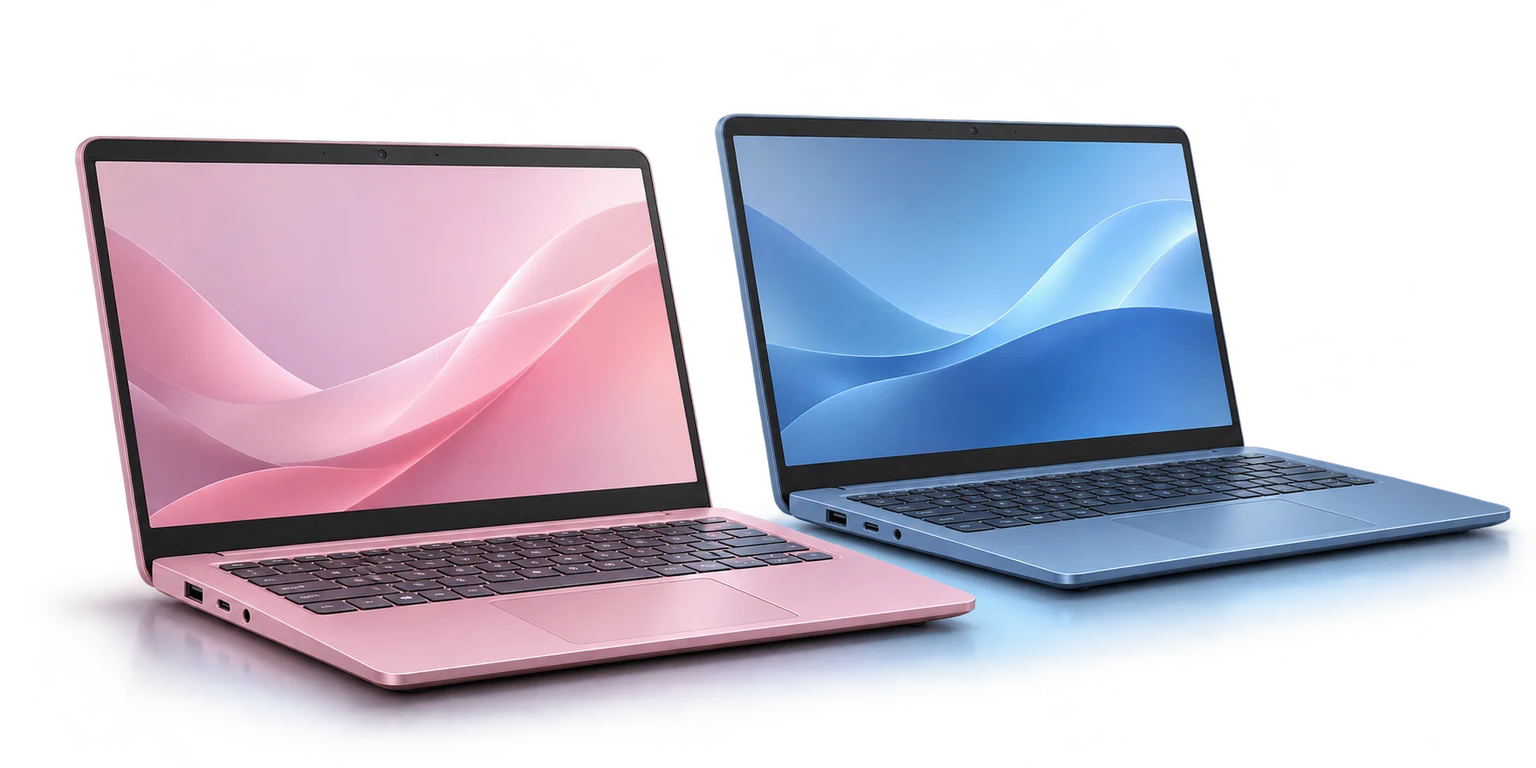
Concept illustration of laptops under $300 for light everyday use
Windows or ChromeOS4GB memoryLight workloadsCheck availability
AI-created concept illustration. Product listings below show retailer images.

By Laptop Den editorial · Updated November 15, 2026

Affiliate disclosure: We may earn a commission if you buy through links on this page. Prices are observed item prices in USD, before any applicable tax or delivery charges. Our comparisons are research-based, with no hands-on testing claims.

THE SHORTLIST

Laptops under $300 for light everyday use

Start with the ASUS CX15 when ChromeOS supports your workflow. Choose the HP when Windows is required and 4GB is sufficient. The Acer bundle is the lowest observed item price at $179. Confirm the selected version and final checkout total.

Showing all 3 configurations. Offer information recorded November 4, 2026.

Scores reflect the listed specifications, intended use and recorded offer within this guide. How our scores work.

The details behind your shortlist.

The specifications, trade-offs and reasoning behind each score.

CONFIGURATION 01 / 03

Windows for a modest workload

HP 14-ep2111wm

Intel N150 / Windows 11
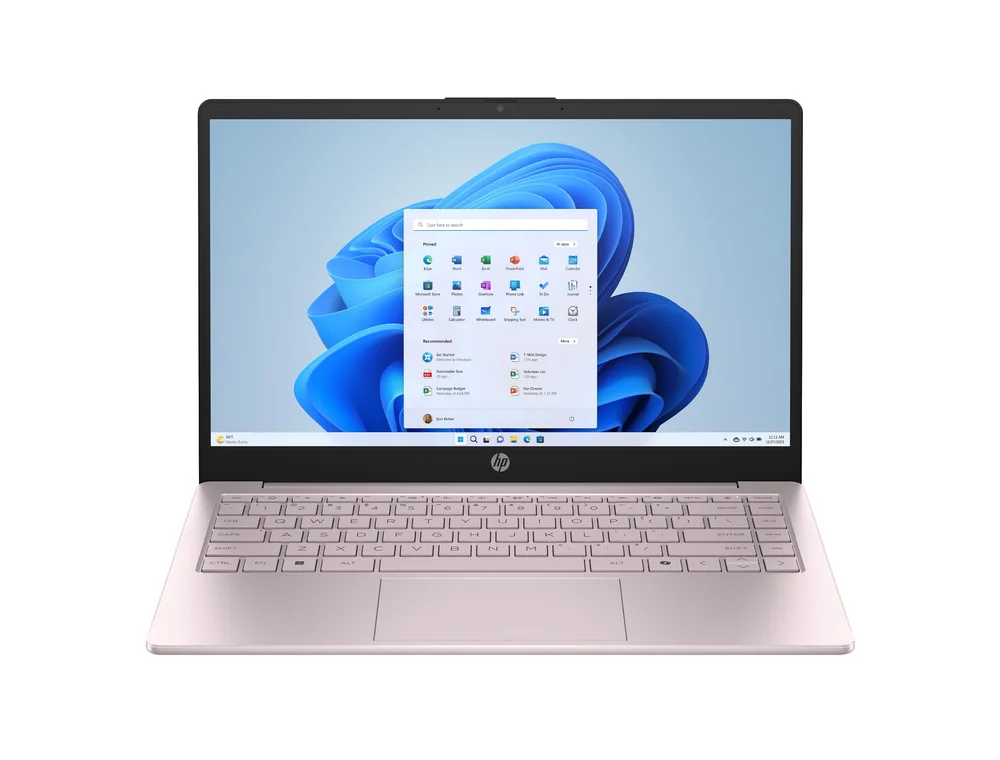
HP 14-ep2111wm product image from the linked listing
Our assessmentHow we assess it
6.8/ 10
Editorial scoreBased on listed specificationsNo hands-on testing
Limited memory
4GB RAM
Technology to confirm
128GB storage
Windows 11 configuration
14-inch HD
Observed price · $199.00
NewWalmart.com · Walmart
View listing at Walmart (opens in a new tab)

Windows for a modest workload

The pink HP is the Windows option alongside two Chromebooks. Its 4GB memory and 128GB storage call for a modest workload. Choose it when a required Windows application rules out ChromeOS, after checking that the application will run comfortably on this entry-level configuration.

A conventional keyboard layout and Windows environment may match an existing school workflow.

How we assess this configuration

The HP receives 6.8/10 for providing the Windows option at the observed $199 price. That operating-system requirement may outweigh the Chromebooks' larger Full HD displays for some buyers. Its 4GB RAM, 128GB storage and HD panel nevertheless call for a narrow workload, so Windows alone does not make it the stronger general choice. Confirm required application requirements and the supplied edition's restrictions before choosing it for school or everyday use.

This is an editorial assessment of the published specification and offer information recorded November 4, 2026. We have not measured performance, display accuracy, keyboard feel, fan noise or battery life. Confirm the exact model, software support and selected seller's terms before purchasing.

Configuration and purchasing details
Configuration shown
Processor / platform
Intel N150 / Windows 11
Memory
4GB RAM
Storage
128GB storage
Display / drive information
14-inch HD
Condition
New
Purchasing details
Listed seller
Walmart.com
Condition
New
Availability & delivery
Check retailer listing
Shipping & tax
Confirm at checkout
Returns & warranty
Check the selected seller's terms

Confirm the selected product, compatibility, seller and final total before ordering.

Offer information recorded Nov 4, 2026: Walmart listing (opens in a new tab). Prices, condition and availability may have changed.

Back to the comparison

CONFIGURATION 02 / 03

A larger ChromeOS screen

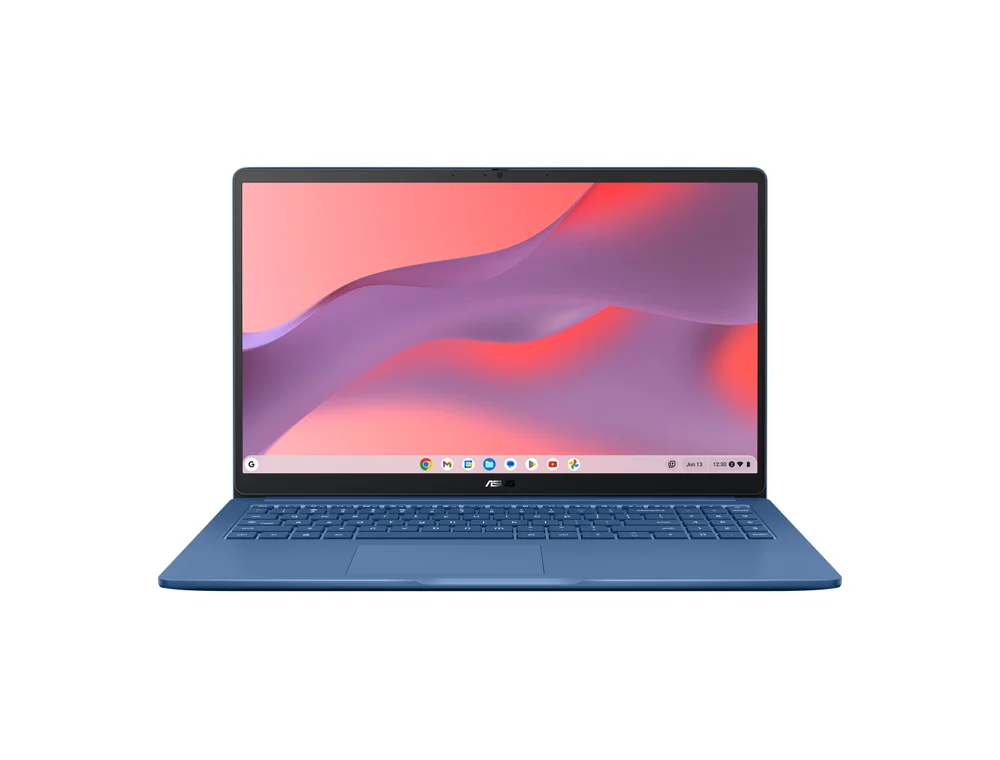
ASUS Chromebook CX15

Intel N50 / ChromeOS

ASUS Chromebook CX15 product image from the linked listing
Our assessmentHow we assess it
7.7/ 10
Editorial scoreBased on listed specificationsNo hands-on testing
Memory
4GB RAM
Listed capacity
128GB storage
ChromeOS display setup
15.6-inch FHD
Observed price · $197.00
NewWalmart.com · Walmart
View listing at Walmart (opens in a new tab)

A larger ChromeOS screen

The CX15 offers a larger FHD screen than the pink HP while using ChromeOS. It suits a browser-based workflow whose applications and peripherals are supported. Its 4GB memory allocation still calls for restraint with demanding multitasking.

The 1920 x 1080 panel provides more pixel workspace than the HP HD display.

How we assess this configuration

We score the CX15 7.7/10 for pairing a larger 1920 × 1080 display with an observed $197 price. It is our starting point when browser-based work fits ChromeOS, giving more pixel workspace than the similarly priced HP. The 4GB RAM remains a constraint, and the Acer's lower-price sleeve bundle is worth comparing. Confirm the exact model and update end date; the score assumes required applications and peripherals are supported.

This is an editorial assessment of the published specification and offer information recorded November 4, 2026. We have not measured performance, display accuracy, keyboard feel, fan noise or battery life. Confirm the exact model, software support and selected seller's terms before purchasing.

Configuration and purchasing details
Configuration shown
Processor / platform
Intel N50 / ChromeOS
Memory
4GB RAM
Storage
128GB storage
Display / drive information
15.6-inch FHD
Condition
New
Purchasing details
Listed seller
Walmart.com
Condition
New
Availability & delivery
Check retailer listing
Shipping & tax
Confirm at checkout
Returns & warranty
Check the selected seller's terms

Confirm the selected product, compatibility, seller and final total before ordering.

Offer information recorded Nov 4, 2026: Walmart listing (opens in a new tab). Prices, condition and availability may have changed.

Back to the comparison

CONFIGURATION 03 / 03

A ChromeOS bundle to compare

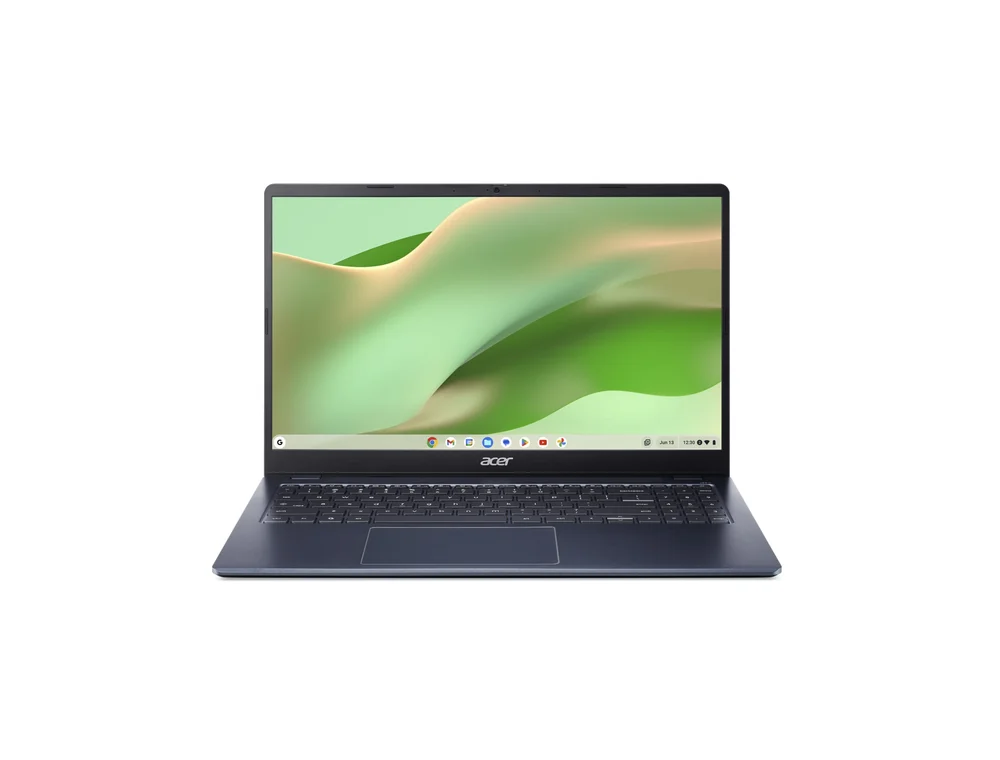
Acer Chromebook 315 with sleeve

Intel N50 / ChromeOS

Acer Chromebook 315 with sleeve product image from the linked listing
Our assessmentHow we assess it
7.6/ 10
Editorial scoreBased on listed specificationsNo hands-on testing
Selected non-touch version
4GB RAM
Listed storage
128GB eMMC
Protective sleeve listed
15.6-inch FHD
Observed price · $179.00
NewWalmart.com · Walmart
View listing at Walmart (opens in a new tab)

A ChromeOS bundle to compare

This Chromebook 315 matches the ASUS on the headline processor and memory capacities and includes a listed protective sleeve. Compare the actual offer price and sleeve fit before treating the bundle as better value. This is the 4GB version, not the separate 8GB touch configuration.

The included sleeve may avoid an extra accessory purchase if it meets your carrying needs.

How we assess this configuration

The Acer earns 7.6/10 for matching the ASUS's headline processor and memory capacities at the lower observed $179 price, with a sleeve listed in the bundle. That is a credible value alternative for a supported ChromeOS workload. The score depends on receiving this specific 4GB non-touch version and a sleeve that fits. Confirm update support and storage needs; 128GB eMMC should not be treated as an expandable NVMe SSD.

This is an editorial assessment of the published specification and offer information recorded November 4, 2026. We have not measured performance, display accuracy, keyboard feel, fan noise or battery life. Confirm the exact model, software support and selected seller's terms before purchasing.

Configuration and purchasing details
Configuration shown
Processor / platform
Intel N50 / ChromeOS
Memory
4GB RAM
Storage
128GB eMMC
Display / drive information
15.6-inch FHD
Condition
New
Purchasing details
Listed seller
Walmart.com
Condition
New
Availability & delivery
Check retailer listing
Shipping & tax
Confirm at checkout
Returns & warranty
Check the selected seller's terms

Confirm the selected product, compatibility, seller and final total before ordering.

Offer information recorded Nov 4, 2026: Walmart listing (opens in a new tab). Prices, condition and availability may have changed.

Back to the comparison

BEFORE YOU BUY

Choose the software.
Then the savings.

The operating system and 4GB memory allocation matter more than cosmetic differences.

AI-generated editorial image for Laptops under $300 for light everyday use
AI-generated editorial image. Product appearance and specifications should be checked against the actual listing.

Confirm required applications

ChromeOS supports compatible browser tasks but does not directly run ordinary Windows installers. Check school, work and peripheral requirements first. A cheaper laptop is poor value if the application you need will not work.

Keep expectations proportionate

All three have 4GB of RAM. That limits demanding multitasking. A simple browser and document workflow is a more realistic starting point than heavy editing or modern PC gaming.

Compare resolution as well as size

The Chromebooks list FHD panels while the smaller HP lists HD. Text size can be adjusted on either system, but resolution affects workspace. Choose a comfortable screen at your usual viewing distance.

Price a useful upgrade

Compare our laptops under $500 if 4GB will be restrictive. Spend more for a specific benefit such as additional memory or required software support.

OUR APPROACH

How our scores work

A score for the listed product and the needs covered by this guide.

We consider the processor and graphics, memory, storage, display, condition and recorded price. Each product's assessment explains the reasons for its score and the details still needing confirmation.

Scores in the 8s indicate a strong fit on paper within the shortlist. Scores in the 7s reflect meaningful compromises; lower scores flag narrower use cases, weaker value or substantial uncertainty. Scores depend on the guide's purpose and the selected offer, so the same product may score differently in another comparison.

These are editorial judgments based on published information. We have not performed hands-on testing. Offer information was recorded November 4, 2026; current price, seller, condition and availability must be checked.

COMMON QUESTIONS

The details
worth checking.

Which of these laptops runs Windows?

The pink HP 14-ep2111wm is the Windows option. The ASUS CX15 and Acer Chromebook 315 use ChromeOS. Confirm the HP edition and any S mode restrictions before buying for software outside the Microsoft Store.

Is 4GB of RAM enough for everyday use?

It can suit a modest workflow but leaves little room for many tabs or demanding applications. Check actual software requirements and avoid assuming memory is upgradeable. An 8GB or 16GB configuration may suit longer-term needs better.

Which Chromebook has the better screen?

Both selected Chromebooks list 15.6-inch FHD displays. Those figures do not establish brightness, viewing angles or color quality. Compare exact model specifications and independent evidence before treating one panel as better than the other.

How long will a Chromebook receive updates?

The deadline depends on the exact model, not the purchase date. Check Google automatic-update guidance and match the full identifier. Do not borrow a deadline from another Chromebook 315 or CX15 generation.

Is the Acer sleeve included?

The selected Acer listing names a protective sleeve. Confirm the current offer includes it and that it fits. Compare the bundle on total usefulness and price rather than counting an accessory as a saving automatically.

Does under $300 include tax and delivery?

The comparison uses observed item prices before tax and delivery. A changed seller or configuration can alter the total. If $300 is your complete limit, check the final cart and budget for necessary accessories.

A PLACE TO START

ASUS Chromebook CX15

7.7/10Our browser-work starting point

Start with the ASUS CX15 when ChromeOS supports your workflow. Choose the HP when Windows is required and 4GB is sufficient. The Acer bundle is the lowest observed item price at $179. Confirm the selected version and final checkout total.

Review the configuration
ASUS Chromebook CX15