Laptops for students by course and workload Room for your course.
Space for what follows.

Compare three 14-inch student laptops by memory, storage and screen format. Check course software before choosing a convertible or OLED configuration.

Compare 3 configurations
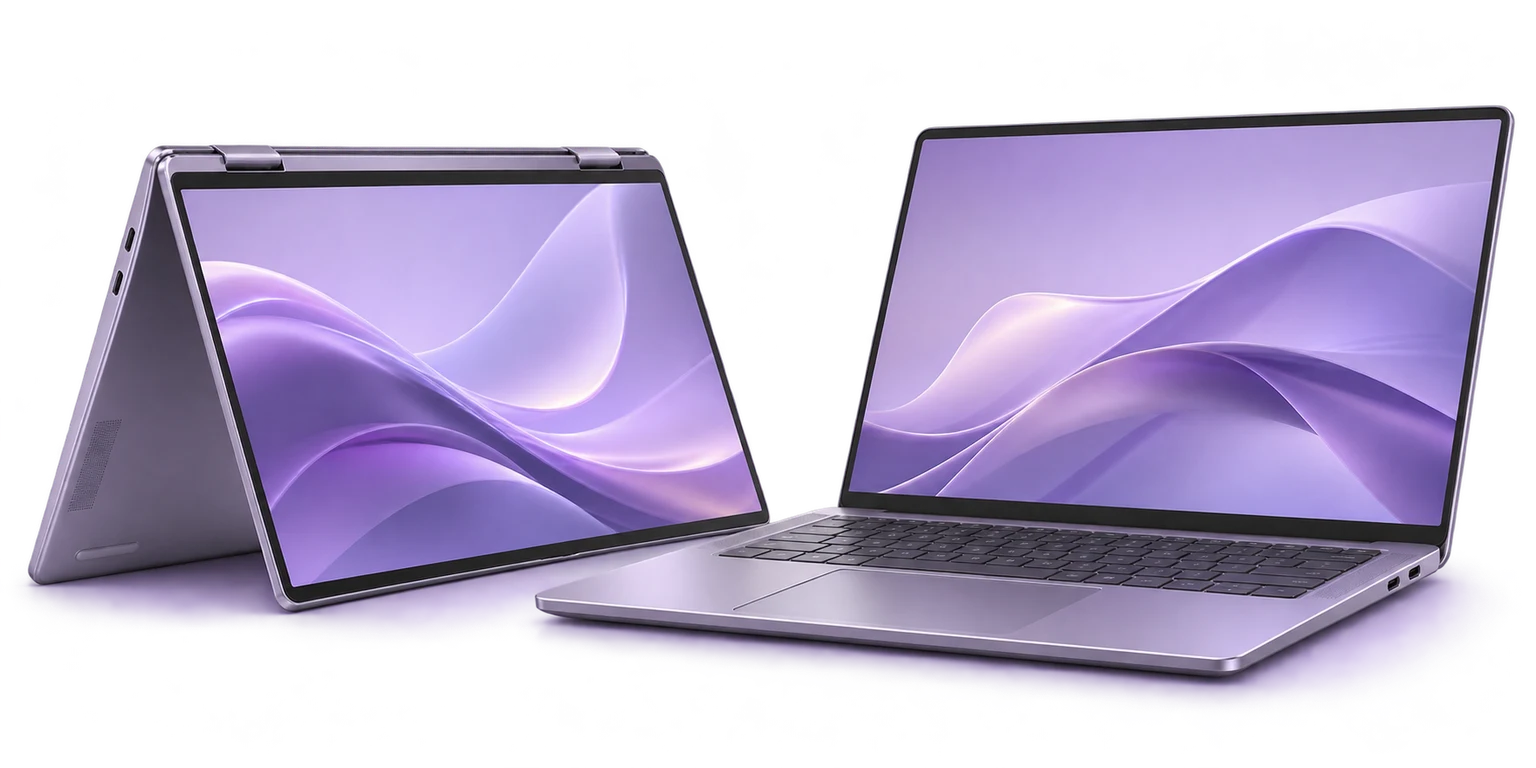
Concept illustration of laptops for students by course and workload
Course requirements14-inch formats16GB or 32GB512GB or 1TB
AI-created concept illustration. Product listings below show retailer images.

By Laptop Den editorial · Updated November 15, 2026

Affiliate disclosure: We may earn a commission if you buy through links on this page. Prices are observed item prices in USD, before any applicable tax or delivery charges. Our comparisons are research-based, with no hands-on testing claims.

THE SHORTLIST

Laptops for students by course and workload

Start with the IdeaPad for a convertible and 1TB storage. Compare the Zenbook when 32GB serves a defined workload. The Aspire provides 16GB and touch at a lower observed price, with half the SSD capacity.

Showing all 3 configurations. Offer information recorded November 4, 2026.

Scores reflect the listed specifications, intended use and recorded offer within this guide. How our scores work.

The details behind your shortlist.

The specifications, trade-offs and reasoning behind each score.

CONFIGURATION 01 / 03

Flexible screen positions and 1TB storage

Lenovo IdeaPad 5 14 2-in-1

Ryzen AI 5 340 / integrated graphics
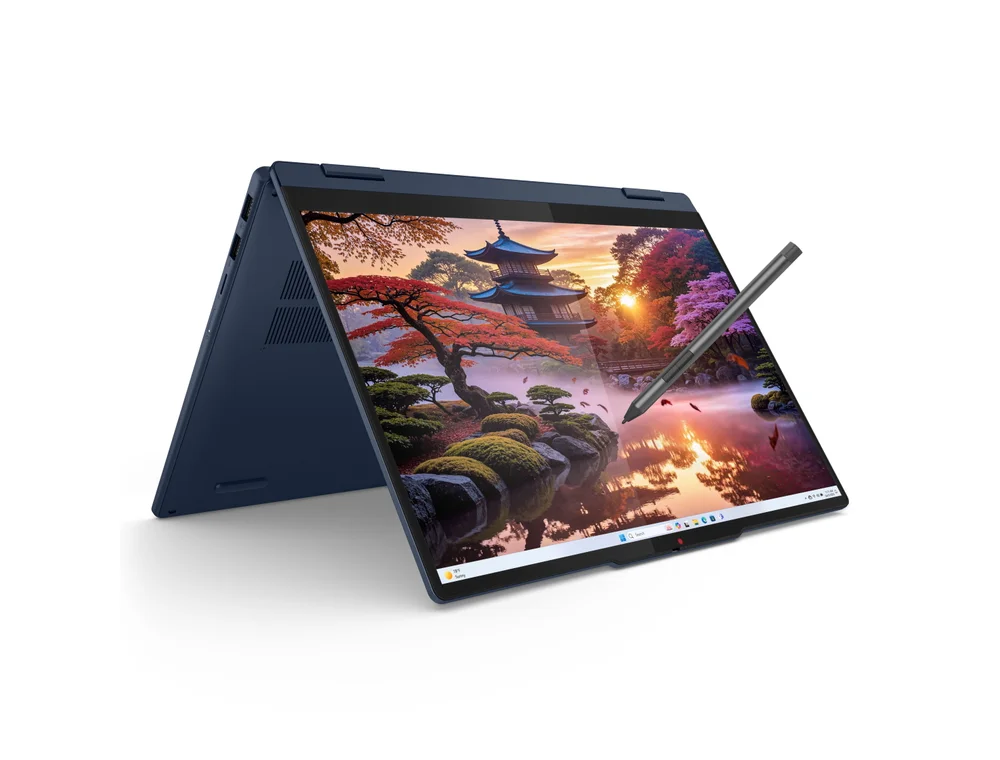
Lenovo IdeaPad 5 14 2-in-1 product image from the linked listing
Our assessmentHow we assess it
8.1/ 10
Editorial scoreBased on listed specificationsNo hands-on testing
Memory
16GB RAM
Storage
1TB SSD
touchscreen
14-inch
Observed price · $879.99
NewHappy Ranger · Walmart
View listing at Walmart (opens in a new tab)

Flexible screen positions and 1TB storage

The IdeaPad combines a compact screen format, a folding hinge and a 1TB SSD. That makes it a useful student starting point when the course works with integrated graphics. Check the actual course software and pen package before planning handwritten notes around it.

The 1TB SSD offers twice the listed storage capacity of the Acer.

How we assess this configuration

The IdeaPad earns 8.1/10 for combining 16GB memory, 1TB storage and a convertible screen format at the recorded $879.99. Those features form a balanced study configuration when course software fits the platform. Its score recognizes usable capacity and flexible positioning, while leaving carrying weight, pen inclusion and the exact panel unresolved. Specialist software requirements should decide whether this integrated-graphics configuration belongs on the shortlist.

This is an editorial assessment of the published specification and offer information recorded November 4, 2026. We have not measured performance, display accuracy, keyboard feel, fan noise or battery life. Confirm the exact model, software support and selected seller's terms before purchasing.

Configuration and purchasing details
Configuration shown
Processor
Ryzen AI 5 340
Graphics
integrated graphics
Memory
16GB RAM
Storage
1TB SSD
Display
14-inch touchscreen
Purchasing details
Listed seller
Happy Ranger
Condition
New
Availability & delivery
Check retailer listing
Shipping & tax
Confirm at checkout
Returns & warranty
Check the selected seller's terms

Confirm the selected product, compatibility, seller and final total before ordering.

Offer information recorded Nov 4, 2026: Walmart listing (opens in a new tab). Prices, condition and availability may have changed.

Back to the comparison

CONFIGURATION 02 / 03

32GB for a defined study workload

ASUS Zenbook 14 OLED

Ryzen AI 7 445 / integrated Radeon graphics

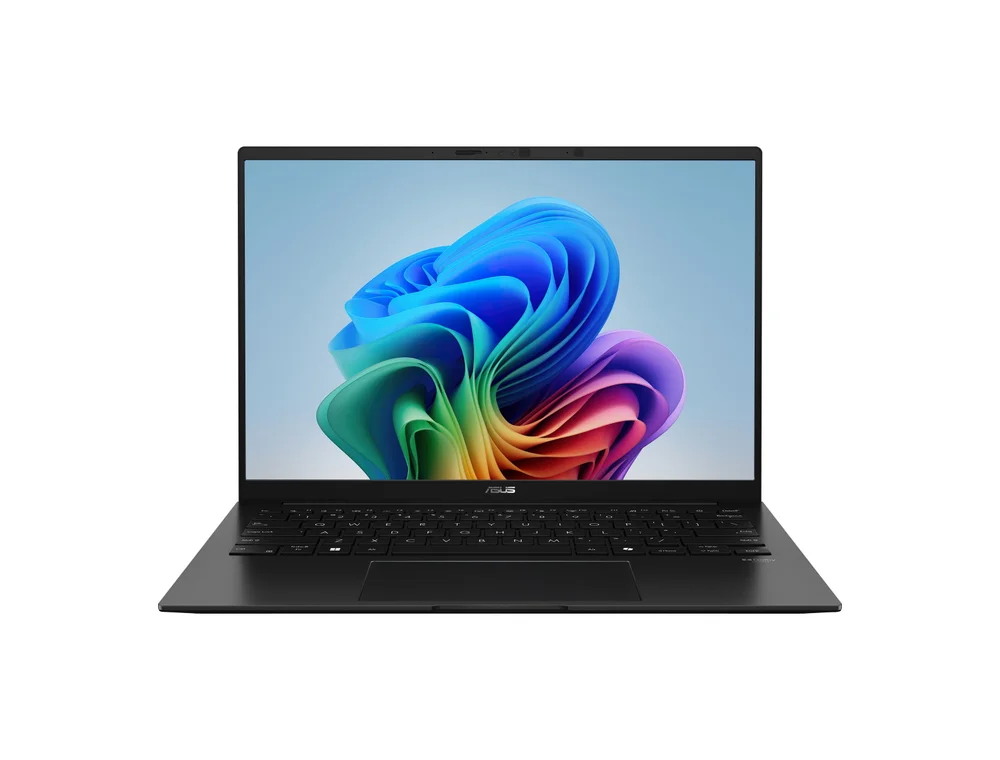
ASUS Zenbook 14 OLED product image from the linked listing
Our assessmentHow we assess it
7.7/ 10
Editorial scoreBased on listed specificationsNo hands-on testing
Memory
32GB RAM
Storage
1TB SSD
WUXGA OLED touch
14-inch
Observed price · $1,199.00
NewWalmart.com · Walmart
View listing at Walmart (opens in a new tab)

32GB for a defined study workload

The Zenbook has twice the memory of the IdeaPad and Aspire, plus a 1TB SSD and OLED touchscreen. That extra RAM can help a defined demanding course workload, but all three selected laptops use integrated graphics. Check department requirements before paying the premium for memory and OLED.

The largest listed memory allocation leaves more room for applications and large working files.

How we assess this configuration

We give the Zenbook 7.7/10 for its 32GB memory, 1TB SSD and WUXGA OLED touchscreen at the recorded $1,199. The capacity can be valuable for a defined study workload, but the premium over the other two options needs a reason. Integrated graphics still require course-specific checking. The score does not infer calibrated color, battery endurance or superior real-world speed from the OLED and processor labels.

This is an editorial assessment of the published specification and offer information recorded November 4, 2026. We have not measured performance, display accuracy, keyboard feel, fan noise or battery life. Confirm the exact model, software support and selected seller's terms before purchasing.

Configuration and purchasing details
Configuration shown
Processor
Ryzen AI 7 445
Graphics
integrated Radeon graphics
Memory
32GB RAM
Storage
1TB SSD
Display
14-inch WUXGA OLED touch
Purchasing details
Listed seller
Walmart.com
Condition
New
Availability & delivery
Check retailer listing
Shipping & tax
Confirm at checkout
Returns & warranty
Check the selected seller's terms

Confirm the selected product, compatibility, seller and final total before ordering.

Offer information recorded Nov 4, 2026: Walmart listing (opens in a new tab). Prices, condition and availability may have changed.

Back to the comparison

CONFIGURATION 03 / 03

A 16GB touchscreen alternative

Acer Aspire 14 AI

Core Ultra 5 226V / integrated graphics

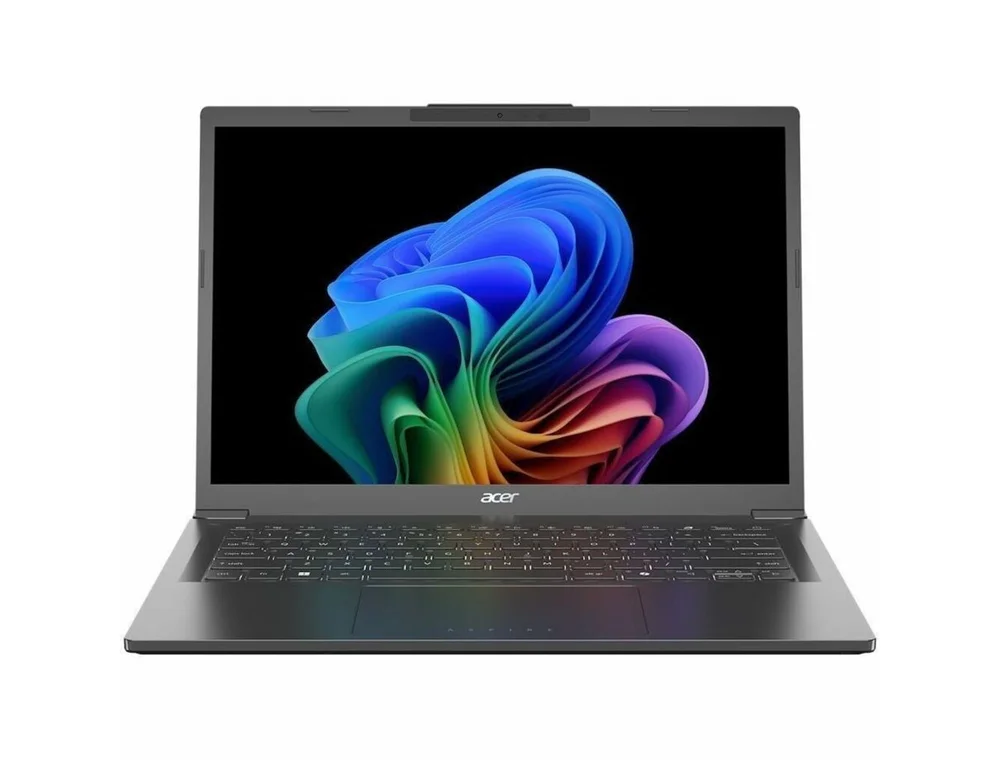
Acer Aspire 14 AI product image from the linked listing
Our assessmentHow we assess it
7.8/ 10
Editorial scoreBased on listed specificationsNo hands-on testing
Memory
16GB RAM
Storage
512GB SSD
touchscreen
14-inch
Observed price · $699.00
NewGreatDeals Electronics · Walmart
View listing at Walmart (opens in a new tab)

A 16GB touchscreen alternative

The Aspire is the lowest-priced offer in this student trio at the check. It keeps 16GB of RAM and touch input while halving the SSD capacity of the IdeaPad and Zenbook. Consider it when 512GB is sufficient and a folding hinge or 32GB memory would not improve your coursework.

The A14-52MT-53EH model number helps keep this touchscreen offer separate from non-touch Aspire variants.

How we assess this configuration

The Aspire receives 7.8/10 for retaining 16GB memory and a 14-inch touchscreen at the recorded $699. It offers a useful cost benchmark when 512GB storage is enough and a folding hinge would add little to coursework. The score favors that capacity-to-price balance, while keeping exact panel resolution, external-display support and the required course software as open checks. Portability and battery performance have not been established.

This is an editorial assessment of the published specification and offer information recorded November 4, 2026. We have not measured performance, display accuracy, keyboard feel, fan noise or battery life. Confirm the exact model, software support and selected seller's terms before purchasing.

Configuration and purchasing details
Configuration shown
Processor
Core Ultra 5 226V
Graphics
integrated graphics
Memory
16GB RAM
Storage
512GB SSD
Display
14-inch touchscreen
Purchasing details
Listed seller
GreatDeals Electronics
Condition
New
Availability & delivery
Check retailer listing
Shipping & tax
Confirm at checkout
Returns & warranty
Check the selected seller's terms

Confirm the selected product, compatibility, seller and final total before ordering.

Offer information recorded Nov 4, 2026: Walmart listing (opens in a new tab). Prices, condition and availability may have changed.

Back to the comparison

BEFORE YOU BUY

Start with the syllabus.
Then the specification.

Course requirements make a stronger shortlist than a student label on a laptop.

AI-generated editorial image for Laptops for students by course and workload
AI-generated editorial image. Product appearance and specifications should be checked against the actual listing.

Ask the course provider

Check required applications, operating systems and any GPU requirements. Engineering, design and media courses may need hardware beyond these integrated-graphics configurations. Browser-based coursework has different demands.

Balance storage and backups

The IdeaPad and Zenbook list 1TB, while the Aspire has 512GB. Local capacity helps with large files but is not a backup. Plan a separate recoverable copy of assignments.

Check the whole travel package

Include charger weight and bag dimensions when comparing portability. A 14-inch diagonal alone does not establish low weight. Check battery evidence for the actual model rather than assuming a full day of classes.

Buy flexibility only when useful

A convertible supports different positions, but confirm pen inclusion before planning handwritten notes. Compare Lenovo 2-in-1 options if that feature is central to your course.

OUR APPROACH

How our scores work

A score for the listed product and the needs covered by this guide.

We consider the processor and graphics, memory, storage, display, condition and recorded price. Each product's assessment explains the reasons for its score and the details still needing confirmation.

Scores in the 8s indicate a strong fit on paper within the shortlist. Scores in the 7s reflect meaningful compromises; lower scores flag narrower use cases, weaker value or substantial uncertainty. Scores depend on the guide's purpose and the selected offer, so the same product may score differently in another comparison.

These are editorial judgments based on published information. We have not performed hands-on testing. Offer information was recorded November 4, 2026; current price, seller, condition and availability must be checked.

COMMON QUESTIONS

The details
worth checking.

Which student laptop should I check first?

The IdeaPad offers 16GB memory, a 1TB SSD and a convertible touchscreen. It is a useful starting point for compatible coursework. Check specialist software requirements and pen inclusion before choosing it for a particular course.

Do students need 32GB of RAM?

Some demanding projects benefit, but ordinary documents and browser work may not justify the extra cost. The Zenbook has 32GB. Compare your actual application requirements and working files rather than buying memory solely for a student label.

Are these suitable for engineering courses?

That depends on the software and course requirements. All three use integrated graphics in the selected configurations. Ask the department about certified GPUs, operating systems and remote lab access before purchasing for CAD or other specialist applications.

Does the IdeaPad include a pen?

The touchscreen and folding hinge do not establish that a compatible pen is included. Check the exact package and supported pen model with the seller. Include any separate pen cost when comparing the total purchase.

Will the battery last a full day of classes?

We have not measured battery life for these configurations. Runtime depends on brightness, applications and power settings. Look for exact-model evidence and consider access to charging, including the weight of the adapter you will carry.

Is 512GB enough for coursework?

It can be enough for documents and modest local files, but large media projects or installed applications may need more. Check actual storage requirements and expansion options. Keep a separate backup regardless of the drive capacity.

A PLACE TO START

Lenovo IdeaPad 5 14 2-in-1

8.1/10Flexible study configuration

Start with the IdeaPad for a convertible and 1TB storage. Compare the Zenbook when 32GB serves a defined workload. The Aspire provides 16GB and touch at a lower observed price, with half the SSD capacity.

Review the configuration
Lenovo IdeaPad 5 14 2-in-1